Gear tracking for creative crews
Pack light.
Every camera, cable and case, accounted for. Print a tag, pack the bag, see what came back. Set up in an afternoon, not a quarter.
At a glance
The short version.


Getting started
Four steps.
Then you pack.
No consultants. No import project. No training day. Just your gear, a printer and a free afternoon.

01
Snap it.
Take a photo. AI drafts the record, and you approve it.
02
Tag it.
Print a label over Bluetooth. One tap, one code, for good.
03
Show it.
Send the picture and the pack state to an e-ink display on the case. It holds the image without power.
04
Pack it.
Tick it off in the tree, or sweep a reader over the case. Everything tagged answers at once.
Tree and flat lay
Read it as a tree.
See it as a picture.
Every packlist is both. Pack in either and the other keeps up, on every phone and every screen.

The tree
Cases in cases in cases.
Nest as deep as your kit goes. Every level is a place of its own, so nothing is ever just somewhere.
Nested cases
Bulk ×N
Who packed what
The flat lay
The bag, before you pack it.
Your gear laid out on a virtual table, in list order, in cut-out photos. Whatever is missing stands out.
Cut-out photos
Grid or mat
Live sync
iPhone Duo
Open it up.
Your gear across the fold.
On iPhone Duo your equipment opens across both halves: the tree on one side of the fold, the item you picked on the other. Fold it shut and it is the phone app you already know.

Web dashboard
The big screen, too.
Every packlist, tree, flat lay and map at my.propiler.app, with every menu one click away. See where every case went today, and put Live Pack on a screen in the gear room to watch the case fill up as the team scans.


Labels and tags
Tag it once.
Scan it for good.
Pair a pocket label printer over Bluetooth and print from your phone. Your templates, your logo, standard codes. Every label points to one item, so a scan always finds the right thing.
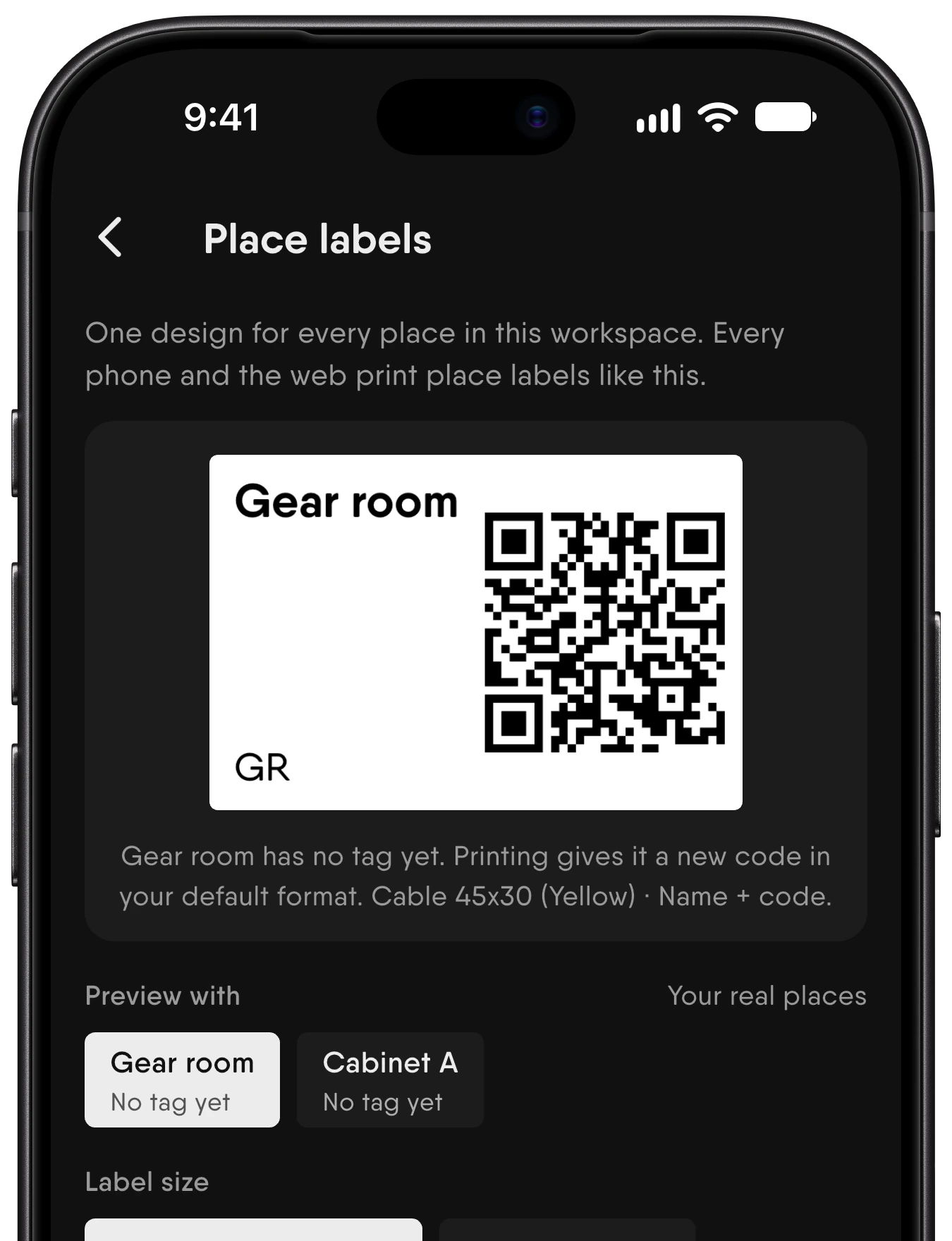

Templates you design
Name, code, logo and picture, laid out your way. What you see is what prints.
Your logo on every label
Add your own mark to each template.
Standard codes
QR, Data Matrix and barcodes that any scanner can read.
UHF RFID tags
Read without line of sight, even with the lid closed.
Tags you already have
Link existing codes and tags to items with one scan.
Shelves and places
Label where things live, not just what they are.
Scan and pack
Tick it, scan it
or sweep it.
Pack with a tap in the tree, the phone camera, a pocket scanner or a UHF reader swept over the case. However you pack, every phone and every screen keeps up.

Camera scanning
Point the phone at any code. No extra hardware needed.
Bluetooth scanners
Pocket scanners for the counter, the truck and the set.
Case check
Sweep a UHF reader over a closed case and see what answers.
Who packed what
Every tick carries a name and a face.
Live on every screen
Pack on the phone and watch it tick off on the laptop.
Works offline
No signal in the basement? Keep packing. It syncs when you are back.
E-ink displays
The case tells you
what is inside.
Put an e-paper display on a case. Send it the picture, the name and the pack state, and it keeps showing them until something changes.


Your own layouts
Design the screen like a label: picture, name, codes and pack state.
Item or packlist
Show one item, a whole packlist or a design of your own.
Pack state at a glance
See how much of a case is packed before you open it.
Hardware
Pro hardware.
Without the pro price.
Printers, tags, readers and displays that hold a pro standard at a price crews can afford. Standard codes. Standard tags. Nothing proprietary to get stuck with.

Label printers
Print anywhere.
Pocket printers that pair over Bluetooth. Your templates, your logo, your labels.
Bluetooth
QR and barcode
Templates
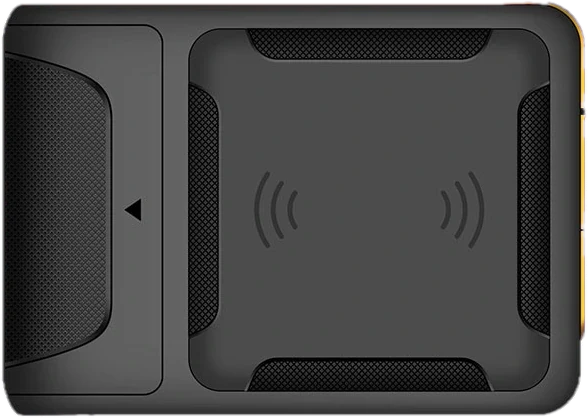
RFID readers
Check a case without opening it.
Handheld UHF readers pair with your phone and read every tag in range. No line of sight needed.
UHF RFID
Bluetooth
Case check

Tags
A tag for everything.
QR, barcode, Data Matrix and UHF RFID. Tough, cheap and linked in one scan.
QR
Data Matrix
UHF

Scanners
Scan without your phone.
Pocket Bluetooth scanners for the counter, the truck and the set.
Bluetooth
1D and 2D
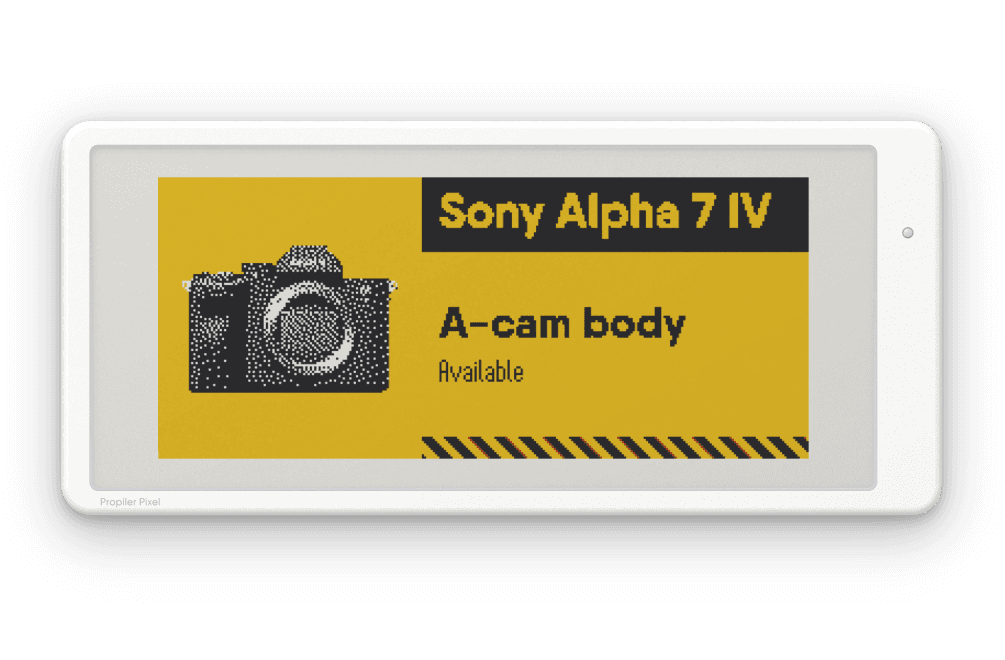
E-ink displays
Labels that update themselves.
E-paper displays on cases and shelves show what is inside and how much of it is packed.
E-paper
Pack state
Pictures
Teams and schools
Share the kit.
Keep the overview.
Invite people by email and choose what each person can do. Everyone sees who has what, what is reserved and what came back, in the same tree.


Four access levels
View, pack, build or manage. Give each person exactly enough.
Custody
Check gear out to a person and see it come home.
Reservations
Reserve gear for the dates you need it.
Workspaces
Keep departments, classes or clients apart, and move gear between them.
Made for schools
Class codes, printed sign-in slips and returns by scan.
Access that lasts
Shares stay open until you revoke them.
Open by design
Your data.
Your tools.
Ask your AI assistant what is packed. Pull it into your own systems. Export all of it, any time. You can leave whenever you like, which is exactly why people stay.
MCP server
Ask Claude or ChatGPT what is packed, who has it and when it is due back.
REST API
Read equipment, packlists and custody with workspace API keys.
CSV export
Every list, any time. It was always yours.
mcp.propiler.app/mcp
You
What’s still out from Friday’s shoot?
Propiler
Three items.
Cinema camera, with Maja R.
LED panel, with Jonas S.
Battery ×2, with Maja R.
All due back Monday.
You
Make Tuesday’s interview packlist from the same kit.
Propiler
Done. “Interview, Tuesday” has 11 items in 2 cases.
Why Propiler
Built for crews.
Not for warehouses.
Made for people who pack their own gear. Open, affordable and quick to start.
Start today
Sign up, print a tag, pack a bag. No sales call and no setup project.
Unlimited equipment
Every plan holds all of your gear.
Standard hardware
Affordable printers, readers and displays. Standard codes and tags.
Your data, your tools
Export everything, any time. Connect it through the API and MCP.
A view you can read
Your kit as a tree and as a picture.
Leave whenever you like
Nothing locks you in. Take your data with you.
Get early access.
Propiler opens to crews and schools in waves. Leave your email and we’ll send your invite.
1. Plan limits apply per workspace. AI photo drafts reset every month.
3. Hardware models, availability and prices: [PLACEHOLDER].